The essentials, at a glance.
Check CPU load, memory use and storage. See GPU and temperature readings when your hardware and drivers support them.
Keep an eye on the computers that keep you going. See their performance from your Android phone, with a secure connection straight to your PCs.
Android release ahead · Free & Pro editions
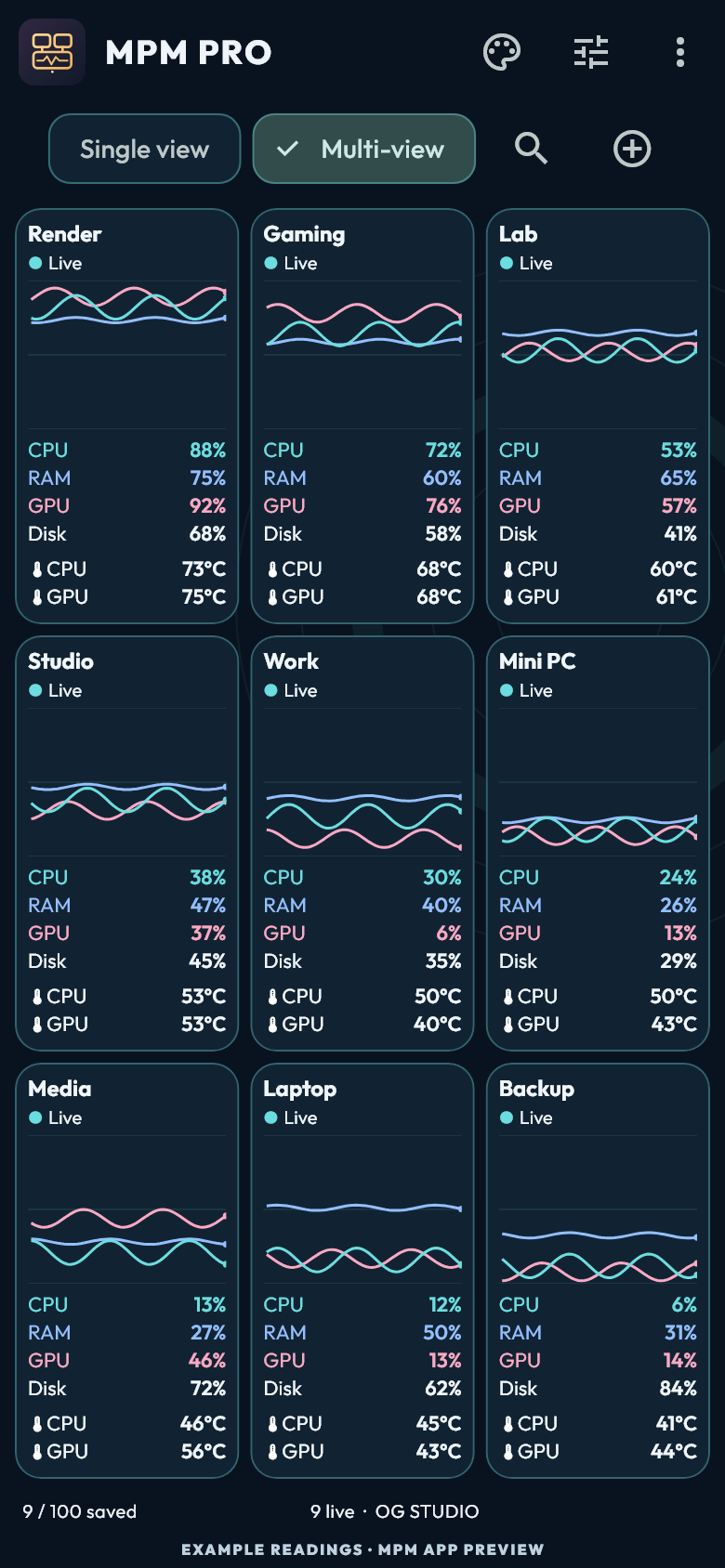
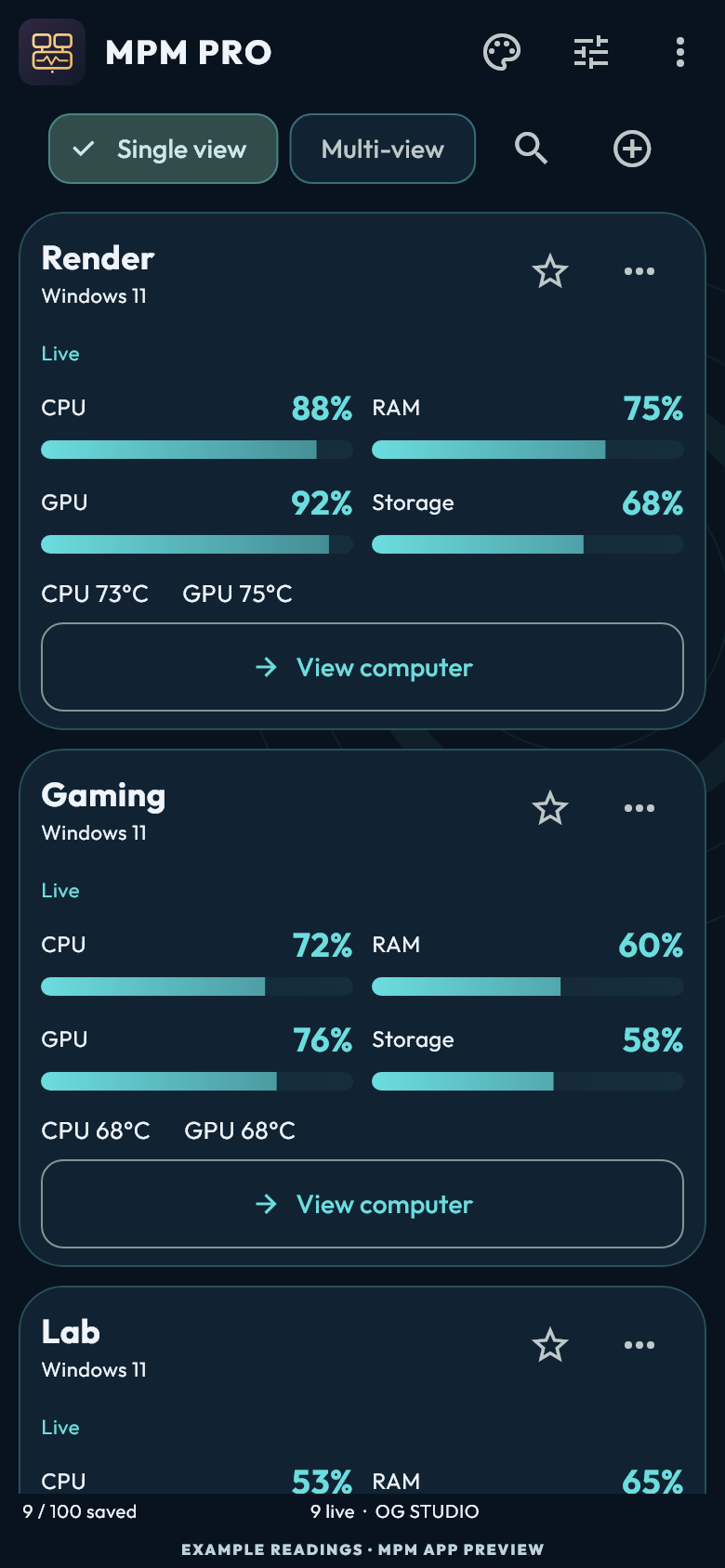
A workstation, a gaming PC, or a whole collection. Bring the useful readings into one place.
Check CPU load, memory use and storage. See GPU and temperature readings when your hardware and drivers support them.
Save two computers in Free. Pro gives you space for up to 100, with compact fleet views, search, sorting and organization.
Compare the PC key and enter a one-use pairing code. MPM remembers trusted connections, and you can revoke a viewer on the PC.
Start with the Original skin in Free. Explore all 30 dashboard skins in Pro, from quiet instrument panels to expressive artwork.
Know when a computer needs pairing or a reading is unavailable. Unsupported sensors are explained instead of being shown as a measured zero.
Readings travel between your paired devices over encrypted connections. There’s no OG STUDIO telemetry cloud, advertising or analytics.
Explore a few of MPM Pro’s views. Select a screen to see it up close.
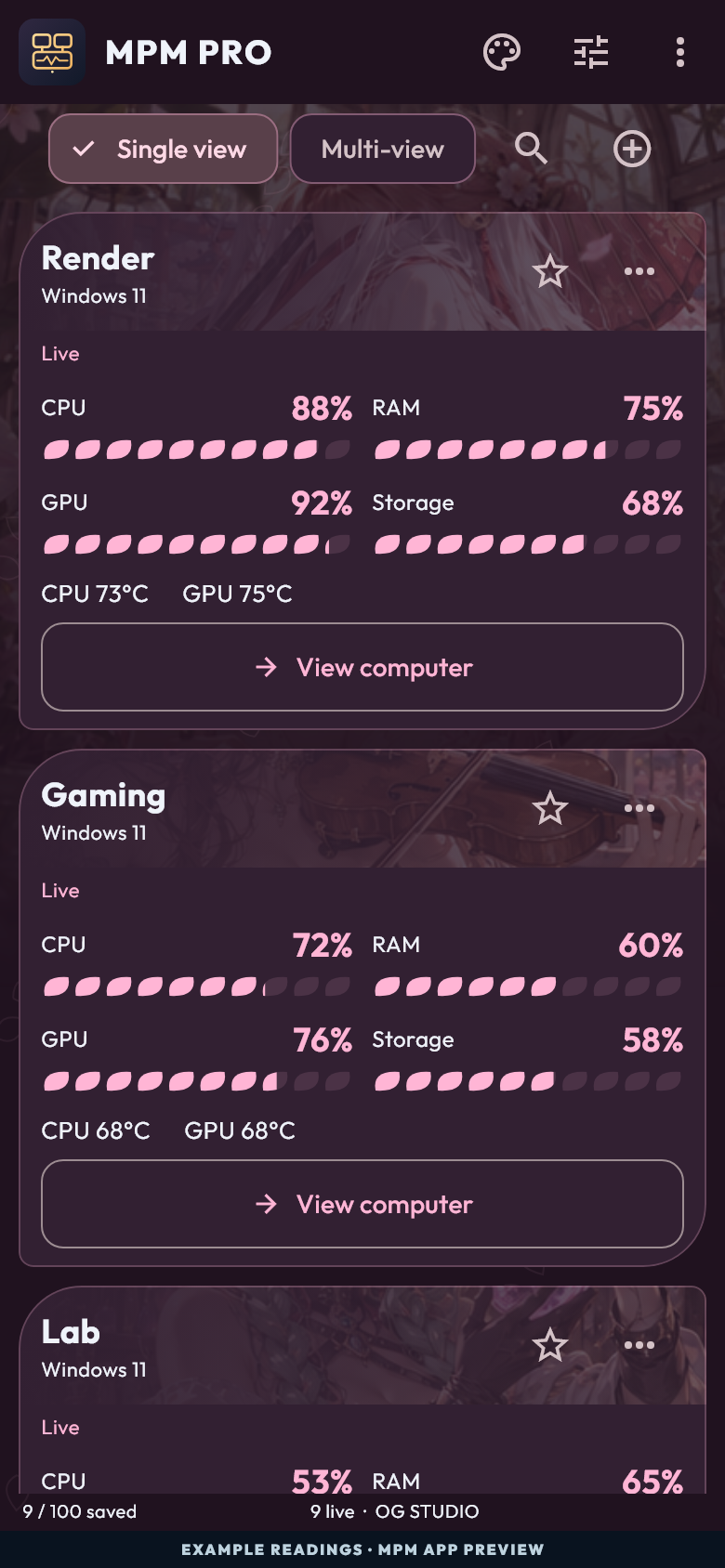
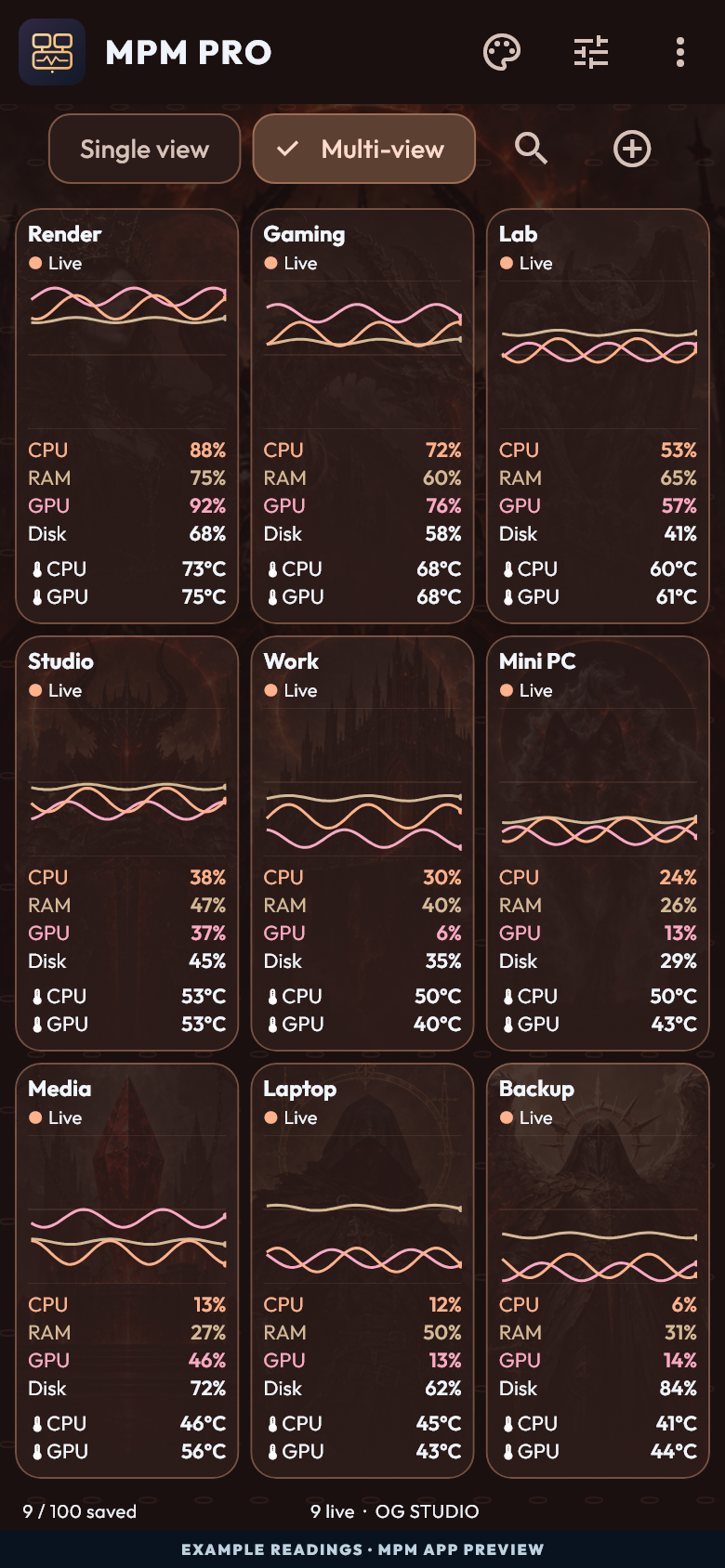
Rendered from the actual Android app with illustrative PC readings. The animation demonstrates changing loads and temperatures; it does not connect to real computers. Sensor availability and readings depend on your own hardware. The Original skin is included in Free; all 30 skins and Multi-view are included in Pro. Final release details may change.
The Android app and the companion MPM Agent work together on your reachable local network or authorized VPN.
Install MPM Agent on each supported Windows PC when it becomes available. Keep the computer awake and connected.
Open Agent Status for the address, port and PC key. In Android, choose Add PC, compare the key and enter the one-use code.
Open MPM to view readings from your paired computers. Existing connections reconnect without a new code.
A local connection matters. Your phone must be able to reach the PC. Cellular data alone cannot reach a private PC address; an authorized VPN can provide that connection. Monitoring pauses while MPM is in the background.
MPM Agent availabilityComing soon to the Android Google Play Store. Start with Free or give your whole setup a home with Pro.
AndroidMulti PC Monitor
A clear view of your everyday computers.
Android release in preparation. The official store link will appear here at launch.
 Android
Multi PC Monitor · Pro edition
A home for your whole collection of computers.
Planned U.S. launch price. Local pricing and taxes will be shown by Google Play.
Both editions require MPM Agent on a reachable supported PC. Windows agent downloads are being prepared. GPU and temperature availability depends on hardware, drivers and permissions.
Pro requires online Google Play purchase verification after installation. A verified installation can work offline for up to 90 days, with online rechecks while you use it. A reported refund or revoked license pauses Pro access and keeps saved PCs and settings.
Questions? Contact OG STUDIO. Read the MPM privacy policy.
Not yet. MPM: Multi PC Monitor and MPM: Multi PC Monitor - PRO are coming soon for Android. Official store links will be added here when the apps launch.
The companion MPM Agent provides your computer’s readings. The first release is being prepared for supported Windows PCs. Visit MPM Agent availability for the current status. Public Mac and Linux agent releases are not available.
Your phone needs a direct, reachable connection to the PC. Use the same local network, or an authorized VPN that gives access to it. MPM does not provide a cloud relay or VPN service. Cellular data alone cannot reach a private PC address.
Sensor support depends on the computer’s hardware, operating system, drivers and permissions. MPM explains unavailable readings. Do not disable your computer’s security protections to obtain a sensor value.
MPM is a monitoring app. It does not provide remote desktop or control your computers. Android monitoring pauses when the app is in the background. Keep MPM open to view live readings.
Verify your purchase online through Google Play after installation. You can then use the verified installation offline for up to 90 days while your PCs remain reachable. Pro attempts online checks when due while you use it. Reinstallation requires verification again; reported refunds or revoked licenses pause access without deleting saved PCs and settings.
Readings go directly from each paired PC to your Android dashboard over an encrypted connection. OG STUDIO does not receive your readings through a cloud service. Neither edition includes ads, analytics or crash-reporting SDKs. See the privacy policy for local storage, purchase verification and your controls.
MPM: Multi PC Monitor. Coming soon for Android.
Explore Free & Pro